Black Friday Deal! Upto 70% OFF

trade2sync
Comparison Guide

The PineConnector Alternative for TradingView Alerts, Pine Scripts & Indicators

Comparing trade2sync vs PineConnector? Both connect TradingView alerts to live trading accounts, but work differently. PineConnector uses custom alert syntax to execute trades on MT5, with hosted MT5, whereas trade2sync reads alerts as they are and executes trades across MT4, MT5, cTrader, DXtrade, and TradeLocker. Check out the complete breakdown for both TradingView automation tools.

1,826,522executed trade data
100+countries
  • No EA, no VPS
  • iOS & Android apps
  • No terminal knowledge
  • Multiple platforms
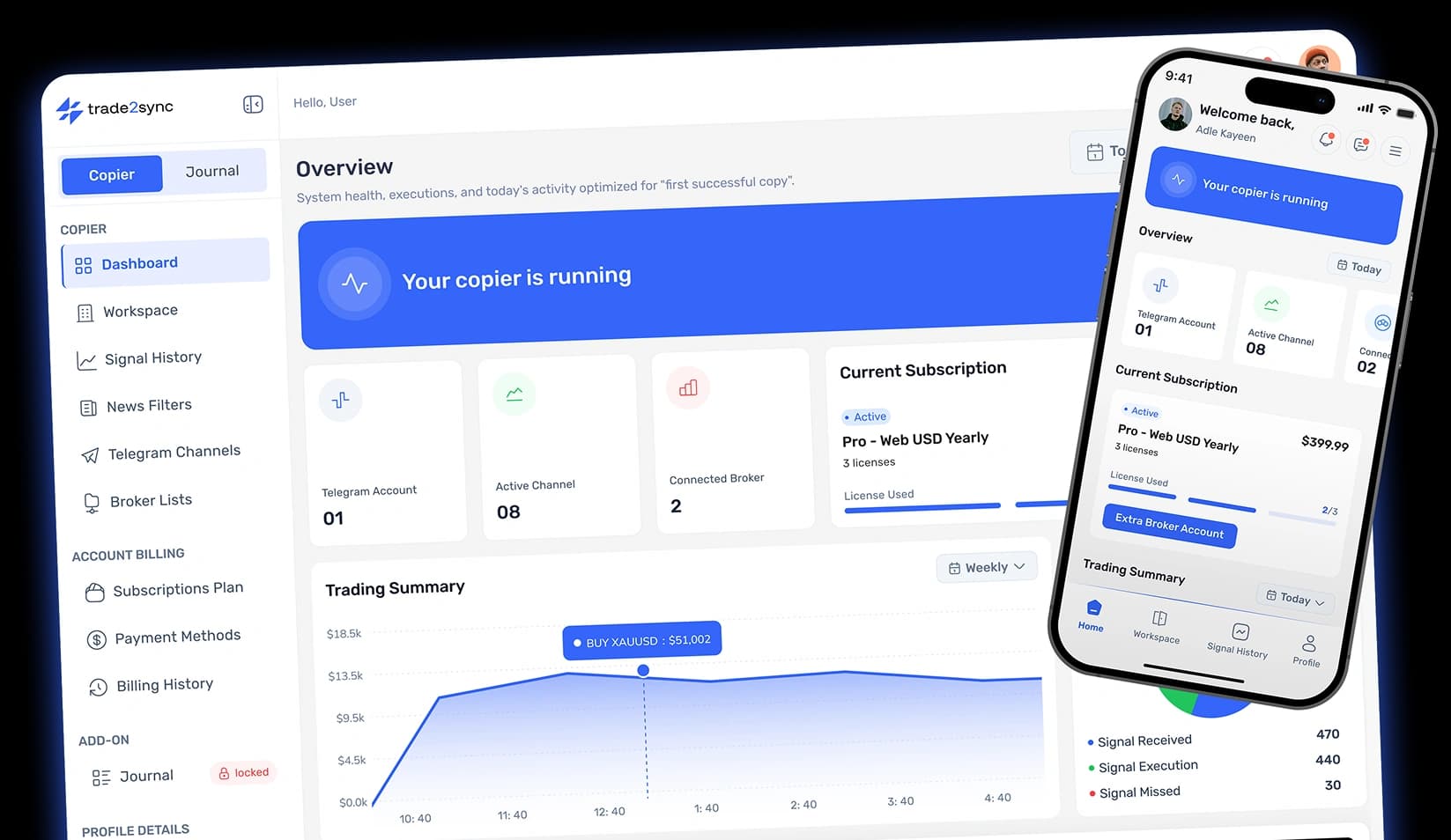
trade2sync dashboard and mobile app turning TradingView alerts into live trades

TradingView Alerts to Every Major Platform

MetaTrader 4
MetaTrader 5
DXtrade
cTrader
TradeLocker
Comparison Criteria

How We Compared trade2sync and PineConnector

We compared both tools on what matters when a TradingView alert has to become a real trade on your broker. Every PineConnector fact on this page comes from its own website and documentation, checked in November 2026.

Alert Format

We checked whether you must rewrite your TradingView alert in a fixed syntax or can keep the message as it is. This matters most if you use a bought or invite-only indicator whose alert you cannot edit.

Platform Support

We checked which trading platforms each tool can send alerts across: MT4, MT5, cTrader, DXtrade, and TradeLocker. Your broker or prop firm sets the platform, so the tool has to support it.

Execution and Infrastructure

We checked whether each tool needs an EA, a Windows PC, or a VPS, or runs fully in the cloud. This decides whether you need to keep your devices on or off.

Multi-Account and Mobile Access

We checked whether one alert can trade several accounts, each with its own lot size, and whether you can monitor everything from a phone for a flexible trading experience.

Transparent Pricing

We compared the entry price, the number of accounts each plan covers, and the trial or refund terms, using list prices only.

Risk Note: Automation follows your alerts exactly, including bad ones. Test any setup on a demo account first. Trading forex and CFDs carries a high risk of loss. This page is a product comparison, not financial advice. PineConnector is a trademark of its respective owner; trade2sync is not affiliated with, endorsed by, or sponsored by PineConnector or TradingView.

Head-to-Head

PineConnector vs trade2sync: Complete Overview

This PineConnector comparison shows how each tool turns a TradingView alert into a trade. PineConnector facts come from its official website.

Feature

trade2sync

PineConnector

Main function
Reads TradingView alerts and turns them into managed trades
Routes TradingView alerts to MetaTrader as commands
Alert message type
Any format: text, multi-line, or JSON
Its own syntax: LicenseID, command, symbol, parameters
Supported platforms
MT4, MT5, cTrader, DXtrade & TradeLocker
MT5 only
Infrastructure
Runs completely in the cloud; nothing to install
EA installation or hosted MT5 (Edge)
VPS dependency
No VPS needed
Yes, hosted MT5 included in every plan
Trade updates
Updates the exact trade with Message ID
Limited; modifications are stated in its alert syntax
Analytics
Detailed signal log on every plan
Analytics on every plan, detailed on Plus and Pro
Mobile access
Native iOS and Android apps
Web portal; no mobile app listed on its site
Support
24/7 live support
24/5 live support, closed weekends

Last verified: November 2026. Plans and features can change, so check both sites before you make any decision.

Feature Spotlights

PineConnector Review: 5 Core Differences vs trade2sync

Is PineConnector worth it? Yes, but only if you trade on MT5 and can handle the EA's setup. These five differences, taken from both websites, decide which tool fits you.

Alert Format: Any Message vs Fixed Syntax

trade2sync

Reads your TradingView alert as it is written, whether it is plain text, multi-line, or JSON. Bought and invite-only indicators work without editing their message.

PineConnector

Every alert must follow its syntax: License ID, command, symbol, then parameters, one symbol per message. In return, you get a deep command set, including ATR trailing and close-and-reverse orders.

Verdict

PineConnector suits traders who code their own alerts. trade2sync suits everyone who cannot or does not want to.

Traders Fit

Which Is the Right Fit for Your TradingView Automation?

Both send TradingView alerts to your broker. The difference is how much you write, and how much the trade is managed after it opens.

Choose PineConnector if

You build your own alerts

  • You trade on MT5 onlyOne platform is all you need connected.
  • You're happy writing alert commandsEach alert needs its own command text, written by you.
  • You want built-in analytics and scheduled tasksPerformance stats and timed actions set up inside the tool.
Choose trade2sync ifNo commands to write

You want alerts read as written

  • You use bought or invite-only indicatorsYou can't edit their alert text, so we read it the way it arrives.
  • You trade on more than one platform5 broker platforms supported, so you connect the ones you already use.
  • You want trades managed after entryClose half, move to break-even, and trail by TP levels.
  • You manage trades from your phoneA dedicated iOS and Android app.
Connect TradingView in 60 seconds
Any
Alert message formatText, multi-line, or JSON
4.5/5
Trustpilot rating400+ verified reviews
<15ms
Execution speedGlobally routed
5
Trading platformsMT4, MT5, cTrader, DXtrade, TradeLocker
Deep Dive

How TradingView Traders Can Pick trade2sync as a PineConnector Alternative

Getting the alert to your broker is only step one. As a cloud-based PineConnector alternative and TradingView trade copier, trade2sync also sizes, protects, and filters every trade. Here is why traders comparing software like PineConnector should consider it.

Risk Sized for Every Alert

Your indicator says buy, but not how much. Size each trade by fixed or dynamic lot, % risk, or a dollar amount, set once per account.

No Unprotected Trades

An alert with no stop or target leaves the trade exposed. A default SL and a risk-to-reward take profit, such as 1:2, fill the gap.

Broker-Ready Levels

Spread can hit a stop your chart never touched. Auto spread adjustment aligns SL and TP with your broker's prices.

Prop Firm Friendly

Same-second entries on every funded account? Execution delay, entry/SL/TP modification pips, and custom trade comments space out and label each entry.

Only the Alerts You Want

Not every alert should trade, like off-hours alerts or the wrong symbol. Time and symbol filters decide what reaches your account.

Set Up Once, Reuse

Rebuilding the same settings for every new strategy? Configuration templates and quick account switching carry your setup over.

How It Works

From TradingView Alert to Managed Trade in Three Steps

No EA, no VPS, no alert syntax to learn. Connect TradingView once and trade2sync places and manages every trade in the cloud.

Step 01

Create Your Webhook

In trade2sync, open Webhooks, click Create Webhook, and copy your private URL.

Step 02

Paste It Into Your TradingView Alert

Tick Webhook URL in the alert's notifications and paste the link into TradingView. Leave your indicator's message as it is.

Step 03

Change Settings, Test & Go Live

Pick your broker accounts and other adjustments, send a test alert on demo, and then go live.

Why Choose trade2sync

1,826,522 Trades Copied For Traders Across Every Continent

Rated 4.5/5 on Trustpilot from 400+ verified reviews.

New EraTSC is now trade2sync

Amazing trade copier fast execution…

Amazing trade copier fast execution speeds trail stops everything name a thing they haven’t got they go everything too make your trading on auto don’t ever miss out on a trade Tsc copier is best thing I’m telling and support is amazing and fast especially person called toby on online support he’s amazing
Azax Naeem
4.5/5

Really great tool :)

Once you took a bit of your time to set up everything you can really adjust and enter your positions as you want :) I'm mostly using the fixed money stop loss which is really nice so you don't have to calculate the lot size ! Still testing the app but I totally recommend it and hope the team and this tool will keep up with the great work :D
Alexia
4.5/5

stop wasting time you finally found the tool you looking for!!!

I’ve been using the Telegram Signal Copier for a while now, and I must say it has exceeded my expectations. The tool is incredibly easy to set up and use, which allowed me to start automating my trades right away. Its ability to copy trades in real time without any lag ensures I never miss out on trading opportunities shared by my signal providers. One of the features I truly appreciate is the customization options it offers. Whether it's adjusting lot sizes, risk management settings, or applying filters, the copier adapts to my personal trading style effortlessly. The fact that it supports multiple brokers and accounts is also a major plus for those managing diverse portfolios. I would especially like to thank the support team for their outstanding service. They’ve been nothing short of amazing—always prompt, helpful, and professional whenever I’ve had questions or needed assistance. Their commitment to ensuring a smooth experience really sets this service apart. Overall, I highly recommend the Telegram Signal Copier to any trader looking for a reliable, efficient, and customizable tool to automate their trading. It has been a game-changer for me, and I’m confident it will benefit others as well.
KFX
4.5/5

Great experience

Easy to setup and very responsive customer service, and great tools provided for signal copy trading. Recommended for users that are looking for hand free copy trading from telegram signals.
Alex Cheng
4.5/5

Full 5 stars for the TSC. Game Changer

Full 5 stars for the TSC. This copier made my life so much easier. After filtering signal providers to the trustworthy ones only, I worked my way through all settings. This takes some time since there are so many individual settings, which is amazing. Now the copier works not just to my personal needs, it is also adjusted individually for each signal channel. The price of the advantaced pack (3 accounts) was amortised within the first two days of using it. I am also super happy about the TSC support. There is no day or time that they do not respond. Never had to wait for more than 30min for a resonse, not even on a Sunday night. Support is super helpful and patient. Also helped with settings via Anydesk a few times. I highly recommend this tool to anyone who can't spend the day staring at charts.
Viktor Sch
4.5/5

I HAVE OWNED THE TSC APP FOR AROUND 6…

I HAVE OWNED THE TSC APP FOR AROUND 6 MONTHS AND HONESTLY IF YOUR ARE COPYING SIGNALS FROM TELEGRAM ITS AN ABSOLUTE MUST ANY TIME DAY OR NIGHT SIGNALS ARE COPIED STRAIGHT INTO YOUR TRADING ACCOUNT. I WOULD HIGHLY RECOMMEND TELEGRAM SIGNAL COPIER TO ANYONE. IF YOU NEED ANY SUPPORT THE TEAM ARE ALWAYS ON HAND TO HELP YOU EVEN GET A FREE REMOTE SETUP ONCE YOU PURCHASE THAT REALLY HELPS THE THE LESS COMPUTER SAVY PEOPLE
Andrew Snaddon
4.5/5

I have owned trade2sync for a few years now

I have owned trade2sync for a few years now, and I pick it up and put it down every time I find something I need to automate. The online Telegram support — I have never waited long, and they always solve my issues, even when I have done something dumb. They don't point it out. This is a company I'd like to see lasting for a long time. PS thanks Theo (Legend)
David Venter
4.5/5

Outstanding Service and Support from trade2sync

I've been with trade2sync for over a year now, and the experience has been excellent. Their service works flawlessly, and the customer support is outstanding. Every question I had was answered quickly and clearly, and they guided me patiently until everything was working perfectly. I highly recommend trade2sync to anyone looking for reliable service and top-tier support.
Henk Peters
4.5/5

Brilliant experience

Brilliant experience! trade2sync works flawlessly — fast, reliable, and extremely easy to set up. What impressed me the most was the support team, who helped me from start to finish with patience and professionalism. I can now copy all my Telegram signals directly into MT4/MT5 without any issues. An essential tool for any serious trader.
Amanda
4.5/5

Best copier out there

I've ran basically every 'big' named copier on various accounts, but this one is defo my favorite. Various features and possibilities, when requesting a feature that'd be actually useful, it gets quickly implemented. Over all best and fastest copier out there. YouTube video instructions could be better and more precise, cover ALL features, BUT the really fast support is always there and helps out quickly. Definitely worth every penny.
Phillip
4.5/5
FAQs

Frequently Asked Questions

Quick answers to the queries traders ask most. Reach us with any question and we will respond within a minute.

Still have questions?

Can't find the answer you're looking for? Our friendly support team is here to help anytime.

What Is the Difference Between trade2sync and PineConnector?
The main difference is the alert format and platform compatibility. PineConnector routes TradingView alerts written in its own syntax to MetaTrader 5 through an EA. trade2sync reads your alert in any format and trades it in the cloud on MT4, MT5, cTrader, DXtrade, or TradeLocker. trade2sync also manages the trade after entry from your settings.
Does PineConnector Offer a Mobile App?
No, PineConnector does not mention any mobile app on its website. However, you can use it on mobile through a browser.
How Does PineConnector Work?
PineConnector works by turning a TradingView alert into a command for MetaTrader. You write the alert in its syntax, starting with your License ID, then the action, symbol, and parameters. TradingView sends it to PineConnector's webhook, and the PineConnector EA in MT5, on your PC, a VPS, or its hosted Edge server, places the trade.
Does PineConnector Support cTrader or DXtrade?
No, PineConnector does not support TradingView automation to cTrader or DXtrade. It only supports MetaTrader 5 (MT5).
Does trade2sync Need a VPS for TradingView Alerts?
No, trade2sync does not need a VPS for TradingView alert automation. It is hosted completely on the trade2sync cloud infrastructure, and no complex EA setup is required.

Try trade2sync for Diverse TradingView Automation

Keep your alerts as they are. Paste one webhook URL, choose your accounts, and let trade2sync place and manage every trade. Start on a demo account.

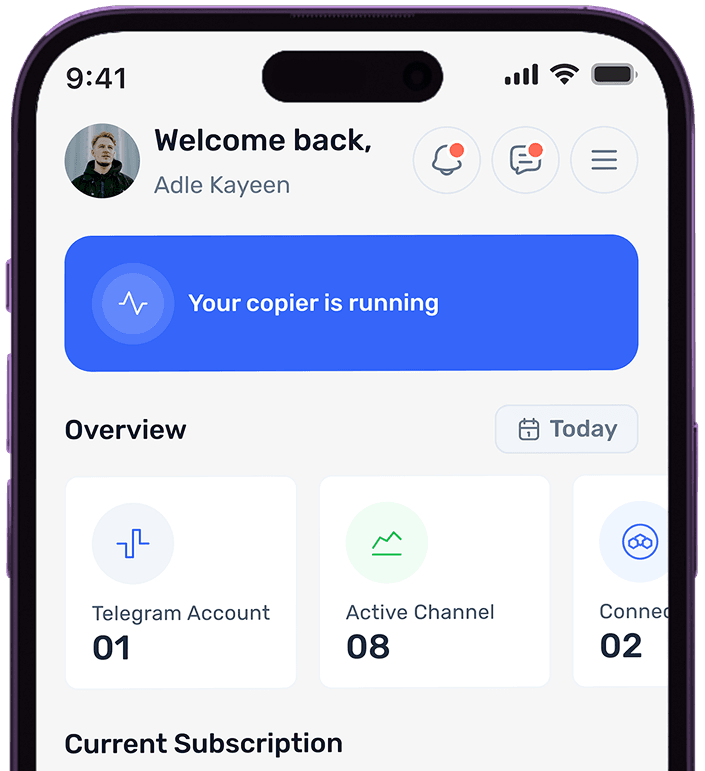
trade2sync mobile dashboard showing active copier status